
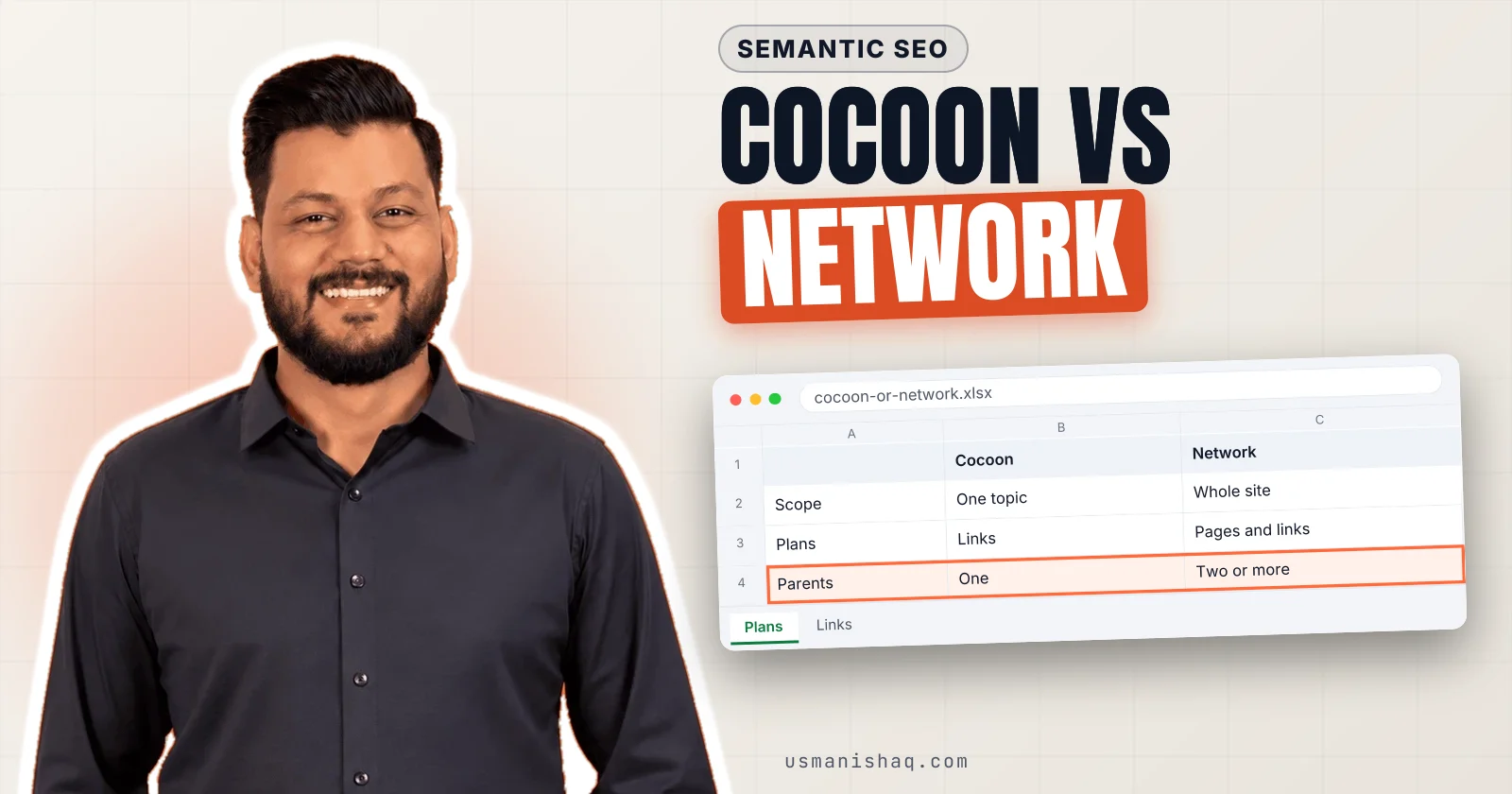
A semantic cocoon is a way of linking the pages of one topic around a pillar page.
A semantic content network, by contrast, plans every kind of page a site needs. It gives each kind of page a template and sets the order they go live. You can run a cocoon without a network. A network always decides links too, so the two overlap.
The deciding question is whether any page on your site belongs to two groups at once. A link count on one sample HVAC site below shows how that changes the plan.
What is a semantic cocoon?
A semantic cocoon is a group of pages on one topic, with a pillar, zoom pages for single searches and two-way links.
Four SEO agency and software pages I read on 24 November 2026 credit the method to Laurent Bourrelly, a French SEO consultant. One of them, Incremys, calls the top page a pillar and the others zooms. It allows a third level only when a zoom branches. Another, Keyweo, calls them mother, child and grandchild pages and says every link between two pages must go both ways.
Practitioners made the cocoon method. I searched four Google Search Central pages on links, helpful content, ranking systems and AI features. The word "cocoon" appears on none.
What is the difference between a semantic cocoon and a semantic content network?
A semantic cocoon plans the links inside one topic, and a semantic content network plans the whole site.
Put plainly, a semantic content network gives each entity type one template, links the pages and sets the publishing order.
| Attribute | Semantic cocoon | Semantic content network |
|---|---|---|
| Scope | One topic | The whole website |
| What it plans | Links between a pillar and its zooms | Page types, one template each, links and publishing order |
| Unit it works with | A topic and its searches | An entity type, such as a service, a town or a question |
| A page's place | One parent and its siblings | A template, so a page can sit under two entity types |
For a business with more than one service, the last row matters most. A worked example below shows why.
Same eight pages, two link plans
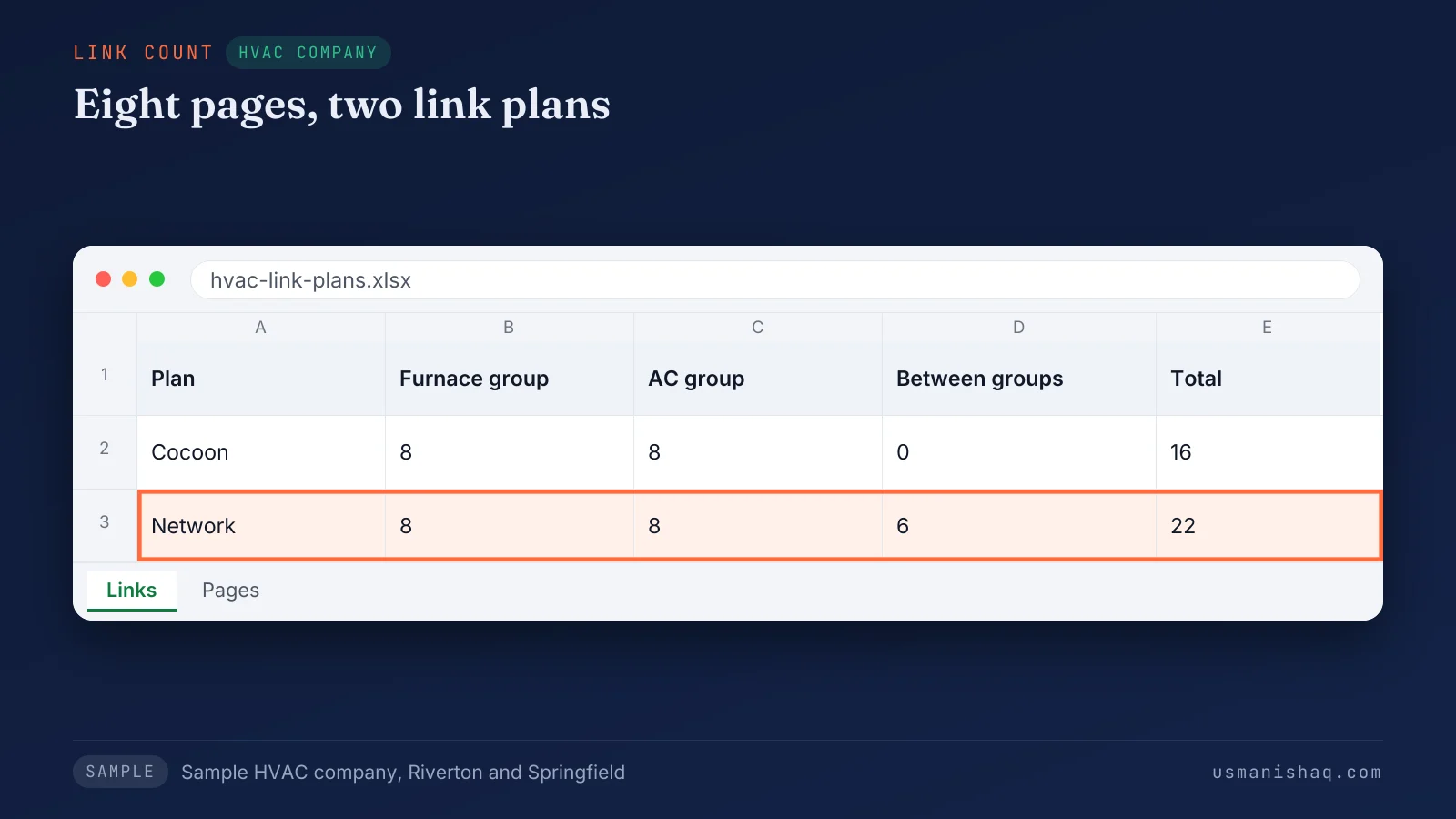
For a sample HVAC company, a cocoon plan needs 16 links across eight pages and a network plan adds 6 more.
The sample company is made up, and the towns are placeholders. These are its eight pages.
- Furnace repair, the service page
- Furnace repair in Riverton
- Furnace repair in Springfield
- AC installation, the service page
- AC installation in Riverton
- AC installation in Springfield
- How long furnace repair takes, a question page
- What size AC a house needs, a question page
For a real site, the link plan for pages like these is written down in a Semantic SEO Architecture linking plan.
How the cocoon plan links them
The cocoon plan builds two cocoons, one for furnace repair and one for AC installation, with 8 links in each.
Take the furnace cocoon. Its pillar links to its three zooms, which is 3 links. Each zoom links back up, which is 3 more. The two town pages link to each other, once each way, because a reader comparing towns may need both. That is 2, and it makes 8. These counts follow the sample rules I set here, and another plan would count differently.
AC installation follows the same pattern, so the cocoon plan holds 16 links. None of them crosses from furnace pages to AC pages.
What the network plan adds
The network plan keeps those 16 links and adds 6 links that run between the two groups.
Someone in Riverton with a failing furnace may also ask about cooling, and that person could land on either page first. So the furnace page for Riverton links to the AC page for Riverton, and the AC page links back. Springfield gets the same pair. The two service pages link to each other as well. Each pair is 2 links, and three pairs make 6.
| Plan | Furnace group | AC group | Between groups | Total |
|---|---|---|---|---|
| Cocoon | 8 | 8 | 0 | 16 |
| Network | 8 | 8 | 6 | 22 |
The two-parent test
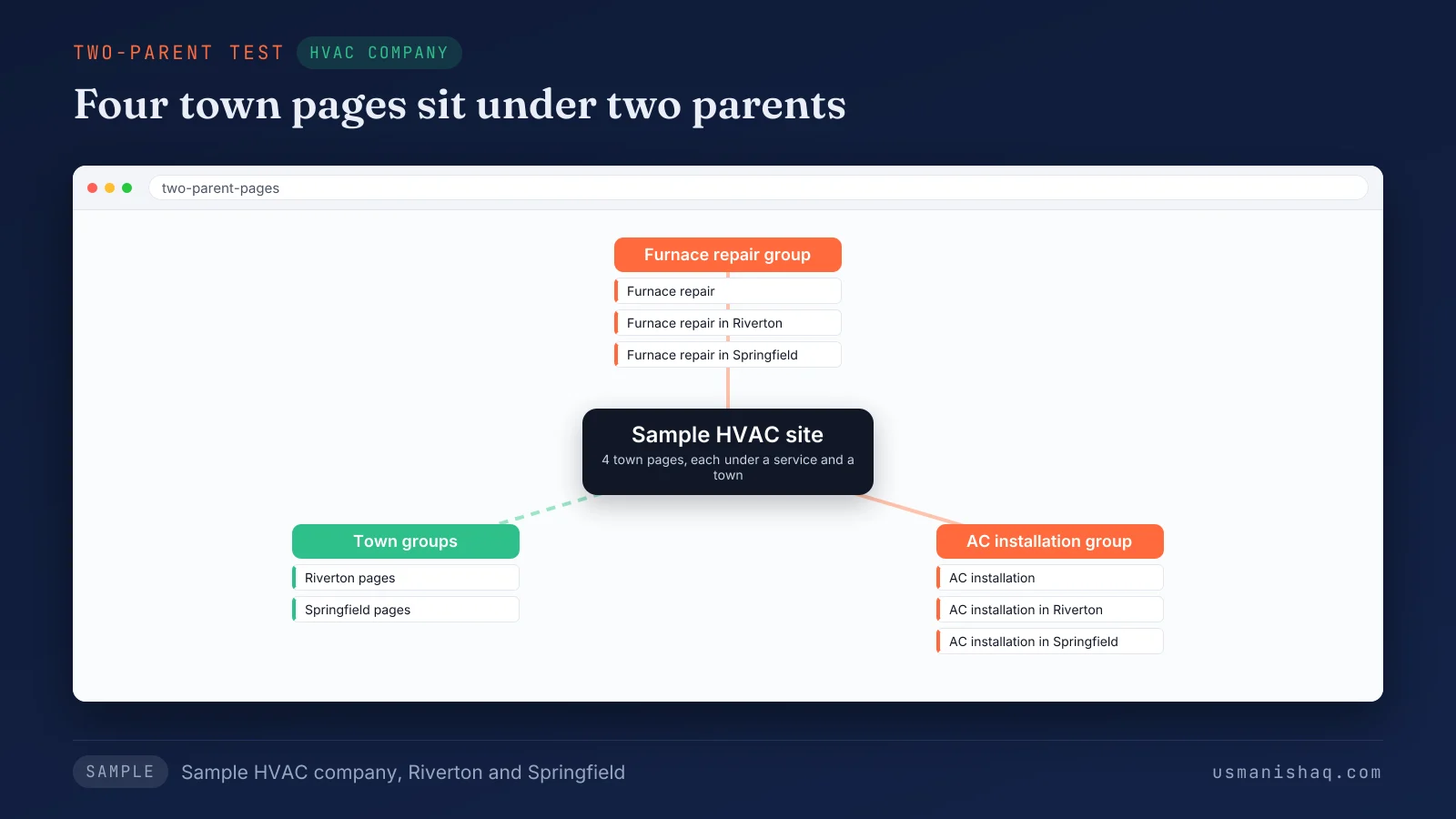
A page has two parents when it sits under two groups at once, and cocoon rules stop there.
Here a parent means a group the page belongs to, such as furnace repair or Riverton. Incremys says you may link outside a cocoon whenever it helps the reader. It leaves the choice of outside links to the writer. That gap is my reading of the four pages, so check it against your own copy.
- List every page on the site, or every page in the plan.
- Write each page's parents, meaning the service, the town or the question group it belongs to.
- Count the pages that have two or more parents.
- If the count is zero, a cocoon is enough. If it is above zero, add a rule for those links.
In the sample, the four town pages each have two parents. Half the pages. A network plan answers with a rule written once per template. A town page links to the other services in its town.
When is a semantic cocoon enough?
A semantic cocoon is enough when no page on the site has two parents.
That is usually a site with one service, or services that share no towns and no questions.
A one-subject guide site is a clear case. Another is a dentist with one clinic in one town and no separate service pages. Run the two-parent test and see.
I would not move to a network just because the word sounds larger. Extra rules cost you time to write and to keep up.
Moving from a cocoon to a network in three steps
You move from a semantic cocoon to a semantic content network in three steps.
Keep the cocoons you already have. They stand as they are, and the network only adds rules around them, so nothing is thrown away.
- Run the two-parent test and mark the pages with two parents.
- Write one template per entity type, such as a service, a town or a question, with the same questions on every page.
- Name the cross links each template adds, such as the same town, other service link.
A fourth step sets the order in which pages go live. A page should link only to pages that already exist.
Three questions that follow a cocoon plan
The three questions that follow a cocoon plan are about silos, Google and writing.
Is a semantic cocoon the same as a silo or a topic cluster?
No, a semantic cocoon is close to a topic cluster and differs from a silo by allowing cross links.
Incremys describes a silo as a vertical split of the site into sections. It calls the topic cluster the English name for a pillar with supporting pages. The semantic content network templates and order guide separates the network from a topic cluster in the same way. Cross links are the part a strict silo forbids and a cocoon allows.
Does Google use the semantic cocoon?
Google's documentation does not name the cocoon, but it says links signal relevance and help Google find pages.
That is from the Google page "Link best practices for Google". It also says the visible text of a link tells people and Google something about the page you link to. So a link with descriptive anchor text, placed where the reader needs it, does real work. How internal links are laid out across a site covers the placement rules.
How do you write the pages of a semantic cocoon?
You write each zoom to answer one search in its first sentence, and the pillar to send readers on.
Incremys says the pillar points to the zooms without repeating them. In the sample, the furnace pillar names the problem, points to the town pages and the two questions, and stops. A plan decides which zooms exist. See how a topical map names each page for how that plan is written.
Semantic cocoon vs semantic content network in short
A semantic cocoon links the pages of one topic around a pillar. A semantic content network plans every page type on a site, with a template for each and an order. Run the two-parent test. If no page has two parents, a cocoon is enough, and if some do, add the network rules for those links.